

Digital asset management
A space for one project and the people on it
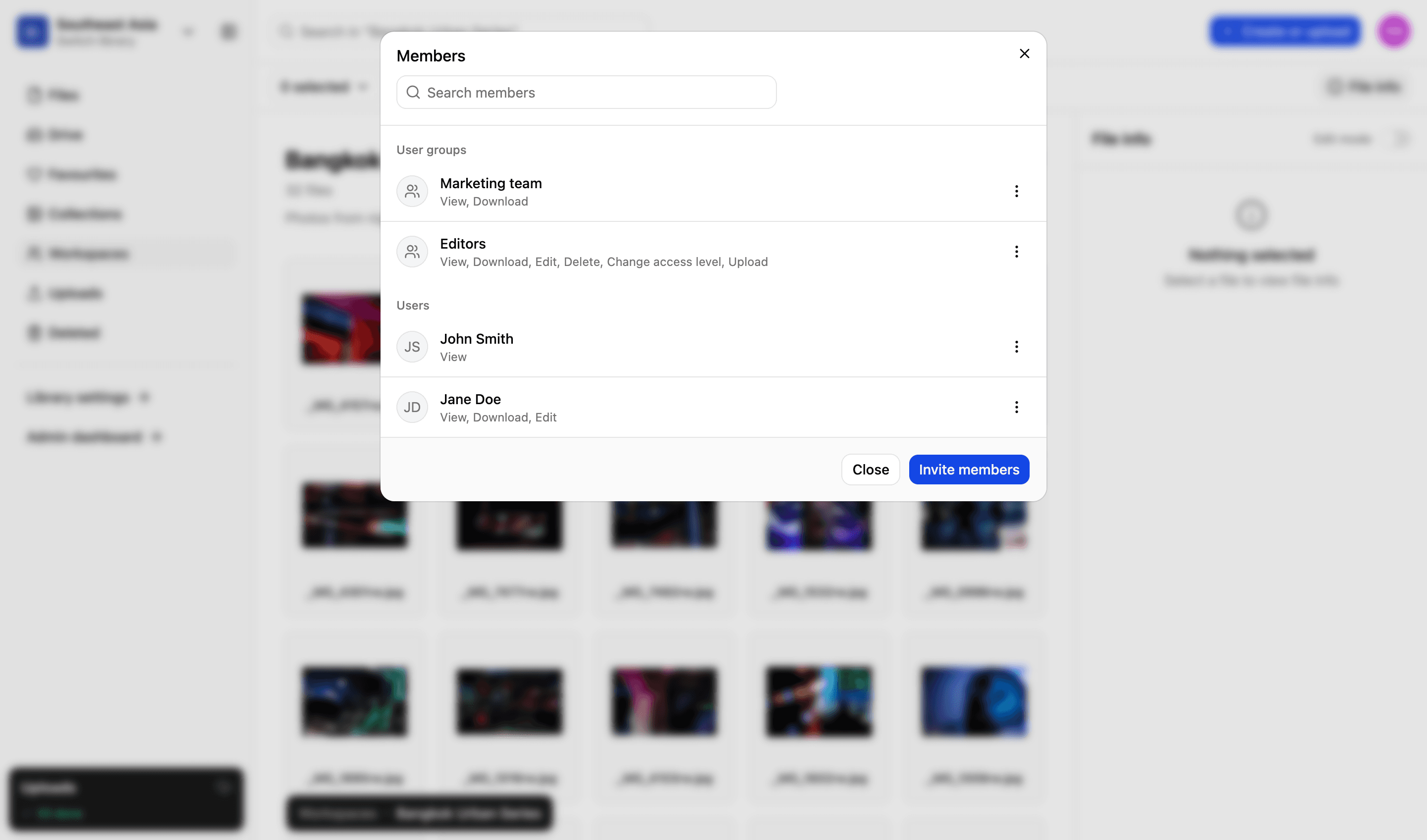
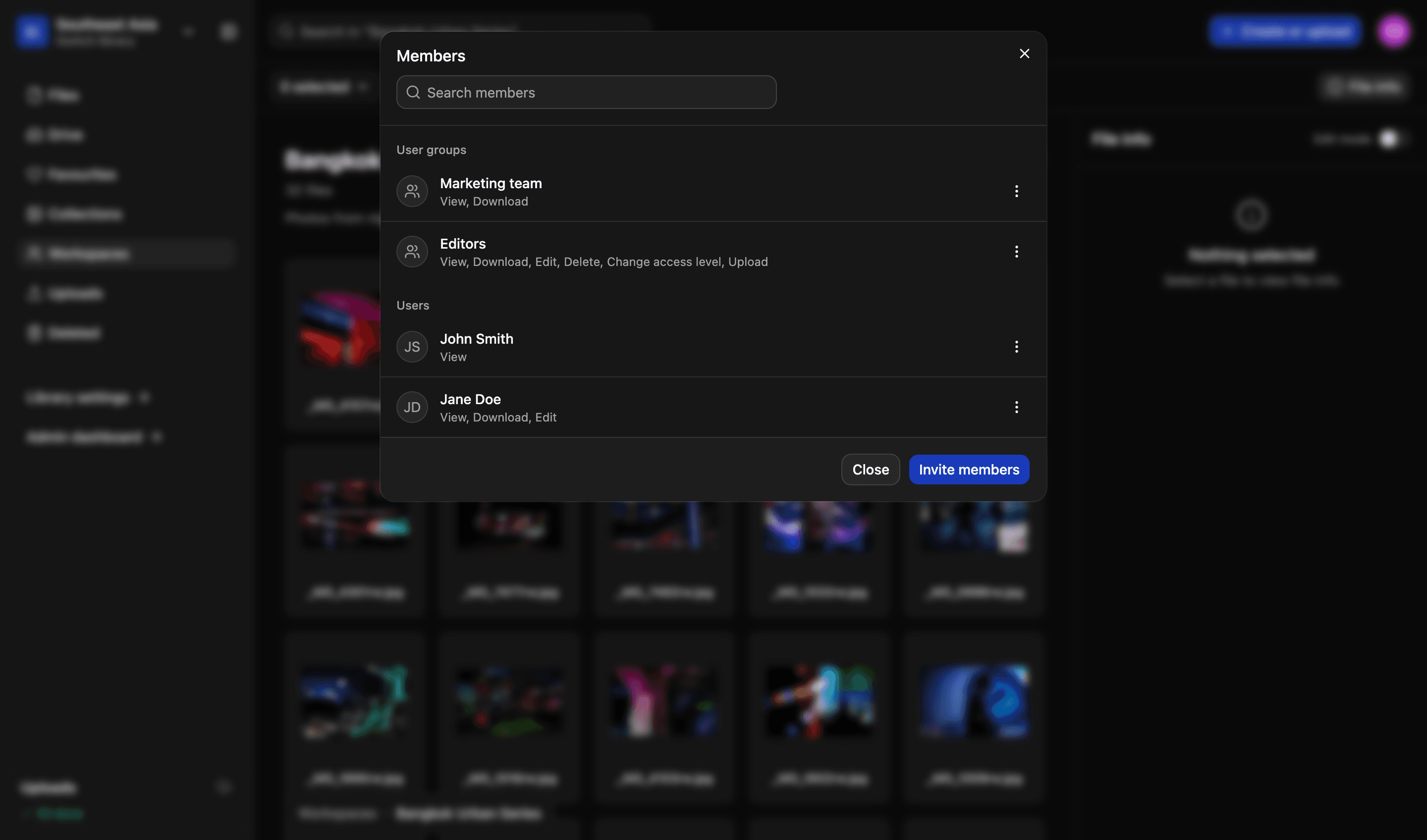
The library is where files live. A workspace is where the work happens: pull in the assets for one campaign, report or shoot, add the people who need to touch them, and set what each of them can do.
Workspace · Annual report 2026
9 assets · 5 people
Comments on this asset
Léa Fontaine2 days ago
Second and fourth are the strongest. The fourth needs the crop opening up on the left.
Rukayat MensahYesterday
Recropped and replaced. Consent is cleared on all four, so any of them can run.
File history
- Replaced by Rukayat MensahYesterday, 09:14
- Description edited by Léa Fontaine2 days ago, 16:02
- Added to this workspace4 days ago, 11:37
- Uploaded to Global communications12 Jun, 08:55
Illustrative example
How a workspace works
Close to a shared folder, except that nothing is duplicated and nobody loses track of which copy is the real one.
01
Built from the library
Add assets to a workspace without copying them. There is still one file, in one library, and everything that was true of it stays true.
02
The people you choose
Invite a colleague or a whole user group, and tick what each can do in it — view, download, edit, upload, delete, change a file’s access level — separately from the role they hold in the library.
03
Comments where the work is
Comment on an asset, a collection or the workspace itself. The conversation stays attached to the thing it is about, rather than scattered across four inboxes.
File history
See what happened to a file, and when
Every file carries its own history: who uploaded it, who replaced it, who changed its description, and when each of those happened. A question about a file has an answer that does not depend on anybody's memory.
- Every change to a file, in the order it happened
- Who made the change, with the time it was made
- Read from the file itself rather than a report you have to go and run
More in the platform
Libraries and folders
Run as many libraries as you have teams, offices or regions. Each gets its own drive, its own folders and its own people.
Read more
Upload and file-drop
Uploads that resume when a browser dies, and file-drop links that let someone outside your organisation upload to a specific library, workspace or collection.
Read more
Search and filters
Search across one or all your libraries. Find files using standard and custom filters. Use facial recognition to find pictures of people.
Read more
Sharing files
Send files using private expiring links. Set download limits, resize files and add custom watermarks and information to protect your content.
Read more
Permissions and access
Set access on a file or a collection, build custom roles to match your organisation’s exact needs and decide what each one can do.
Read more
Admin and reporting
Storage, users, activity, uploads and downloads on one easy-to-read dashboard, and a record of who did what with each file.
Read more
API and integrations
We migrate your existing library and connect the platform to what you already run. A REST API lets you build your own portal on top of it.
Read more
Next step
We’d love to explain more…
Still got questions? Curious to see LightRocket in action? Want to know more about pricing?
We’re always happy to show off our system and, yes, we’ll even help out with discounts and pricing.