

Consent management
Know what you can publish before you publish it
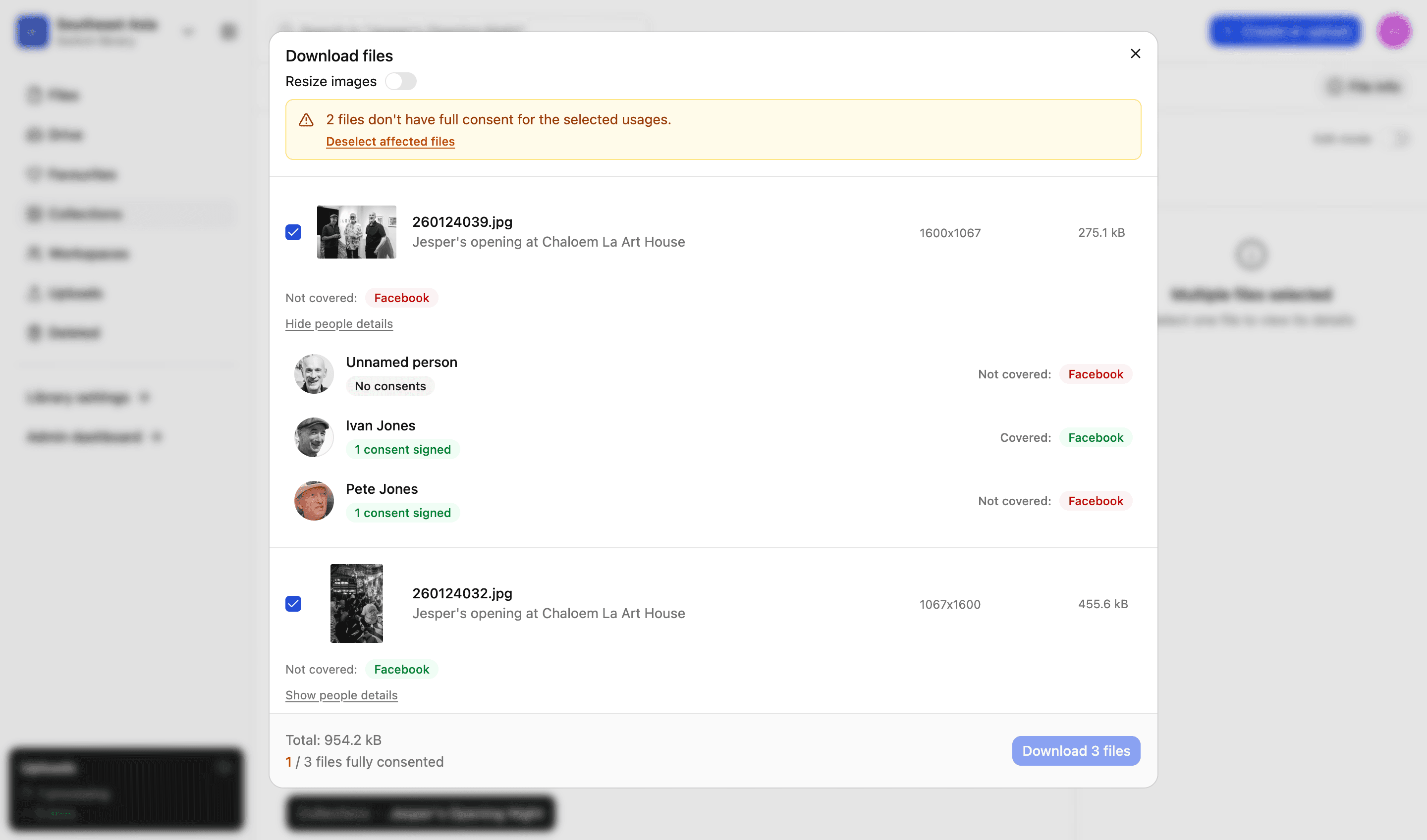
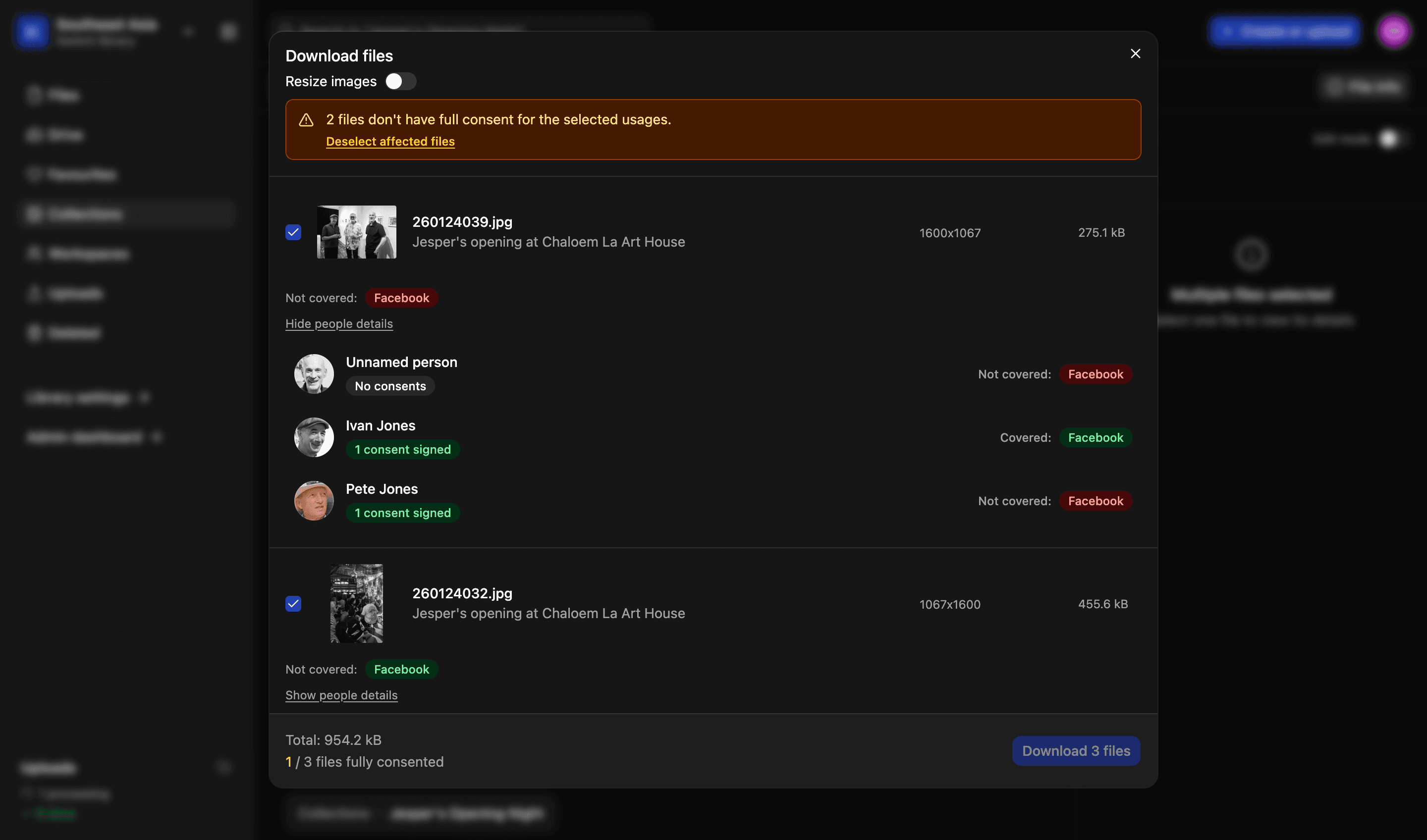
A signed release in a filing cabinet tells you nothing at the moment you are picking images for a campaign. Here the consent lives on the person, the person is attached to the photograph, and the check happens when somebody tries to download it — not when somebody remembers to ask.
The five parts of it
Collecting consent, and then being able to prove you have it. Both halves are in the same platform as the files.
Creating forms
Create custom consent forms. Save multiple templates, define scope, add custom options and pre-fill selected fields.
Read more
Sending forms
Email finalised consent forms to one or multiple recipients. They get a link and a QR code, and can sign from their phone.
Read more
People directory
Everyone who appears in your library, with faces found in your photographs added to them automatically.
Read more
Consent records
Always know exactly what someone agreed to. And prevent mistakes, with consent checked at the moment somebody tries to download a file.
Read more
Proof and audit trail
Final signed consent forms are protected using a unique hash, which guards against tampering and proves whether a file has been modified.
Read more
True of all of it
Three things that apply whichever of the pages above you came for.
01
Included, not an add-on
Consent is part of the platform on every plan. There is no tier where the audit trail gets longer or the download check gets stricter.
02
Attached to the file, not filed near it
A consent belongs to a person, and a person is on the photographs they appear in. Nothing has to be cross-referenced by hand.
03
Nobody needs an account to sign
The person signing gets a link or a QR code. They never create a login, and you never administer one for them.
We’d love to explain more…
Still got questions?
Curious to see LightRocket in action? Want to know more about pricing? We’re always happy to show off our system and, yes, we’ll even help out with discounts and pricing.