

Digital asset management
Find anything, in one library or all of them
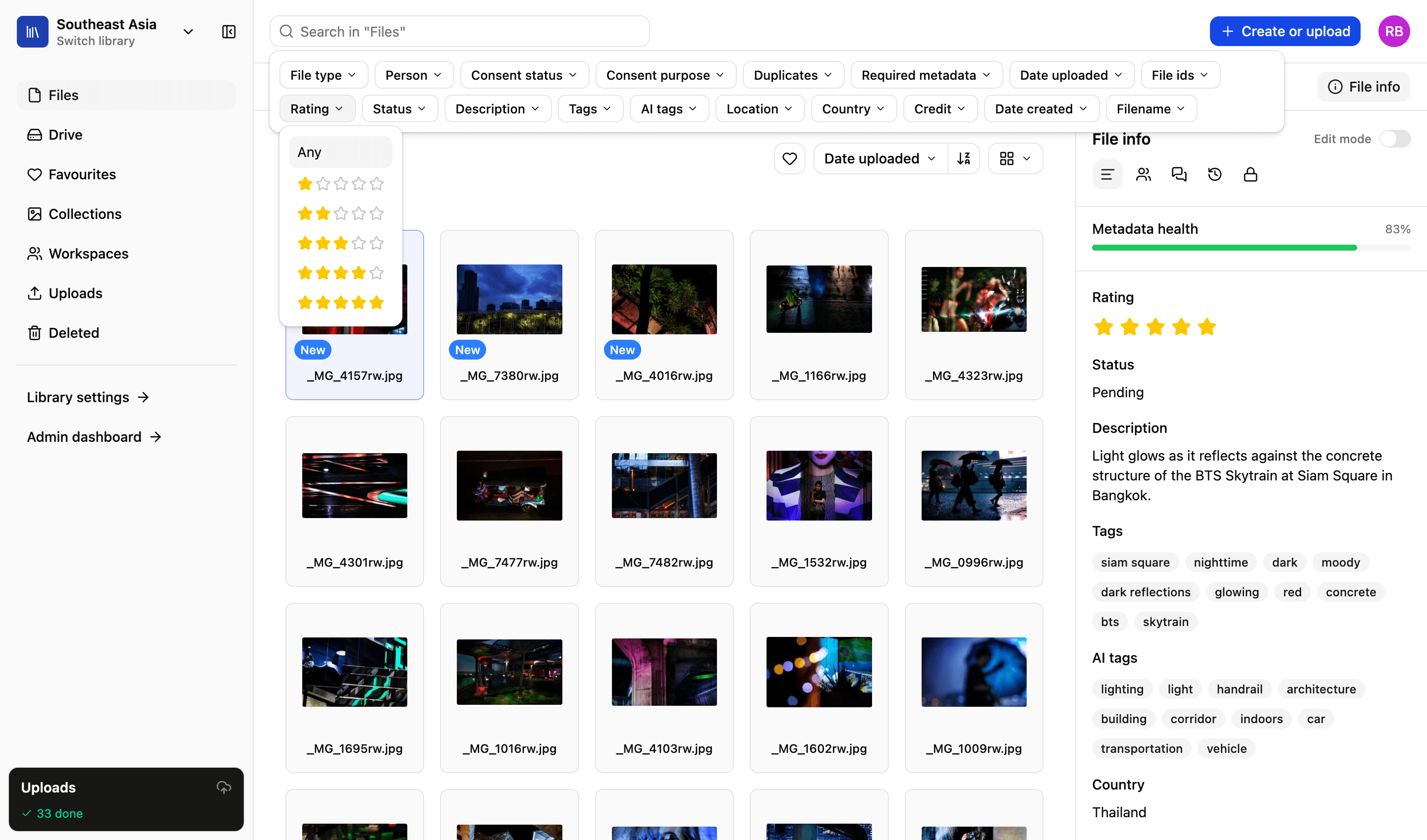
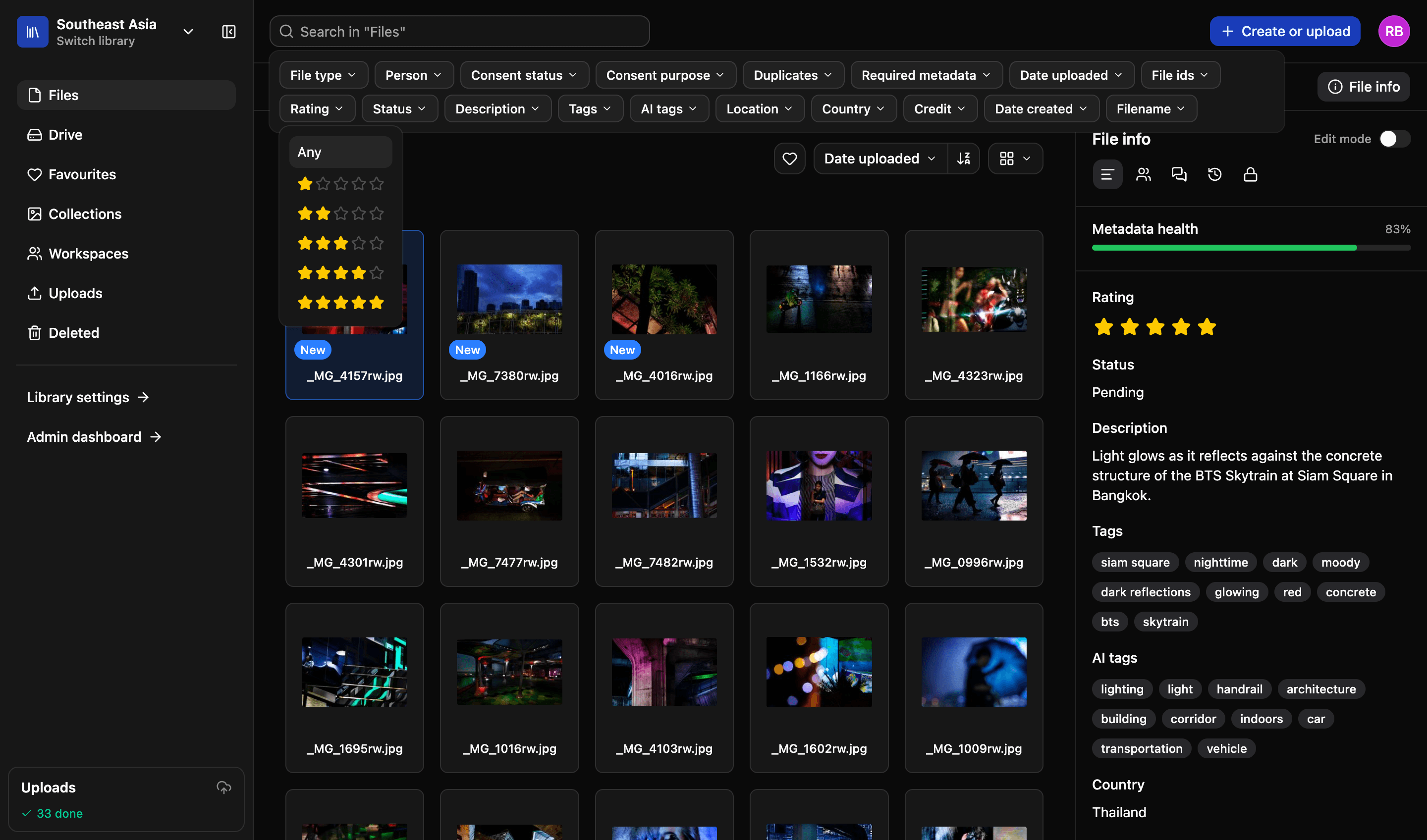
Search is what a library is for. Configure your own filters, search across every library you have access to, and quickly find pictures of anyone using our AI-powered people search.
Search
1,284 results · All libraries
Filters
- Library
- All nine
- File type
- Image
- Consent status
- Cleared
- Date uploaded
- 2024 to 2026
- CampaignYour field
- Clean water
Display
- Grid
- List
- Masonry
1,284 images across nine libraries, narrowed from 214,880 by the filters on the left.
Illustrative example
What you can search on
Six things, and they combine. The last one is the reason people start feeling good about searching.
01
One library or all of them
Search inside the library you are in, or across every library you have access to. Because you should not have to remember where you filed something.
02
Filters that stack
File type, date uploaded, consent status, you name it — combine as many filters as you like and each one narrows what is left.
03
Your own fields
Customise fields on assets, people, users and collections. Add one and it becomes a searchable filter, alongside ours.
04
Every photo of one person
Facial recognition groups the faces in your library. Name someone once, and their photographs are a click away from then on.
05
Grid, list or masonry
Switch how results are displayed. A grid to scan, a list to compare details, masonry when you feel like a more aesthetic results page.
06
Kept as a favourite
Favourite a search and it re-runs whenever you open it, so the thing you check every Monday is one click away, rather than six.
Custom fields
Add the fields that matter to you
The fields that make sense for a school aren't the same for a photo agency. Customise fields to match your use-case, and then decide which ones to make searchable.
- Customise fields on assets, users and collections
- Make any field searchable, and it joins the filter list
- Filter on your own fields exactly the way you filter on ours
More in the platform
Libraries and folders
Run as many libraries as you have teams, offices or regions. Each gets its own drive, its own folders and its own people.
Read more
Upload and file-drop
Uploads that resume when a browser dies, and file-drop links that let someone outside your organisation upload to a specific library, workspace or collection.
Read more
Workspaces
A collaborative space for your projects. Invite individuals or groups. Assign specific permissions — view, edit or comment. You decide.
Read more
Sharing files
Send files using private expiring links. Set download limits, resize files and add custom watermarks and information to protect your content.
Read more
Permissions and access
Set access on a file or a collection, build custom roles to match your organisation’s exact needs and decide what each one can do.
Read more
Admin and reporting
Storage, users, activity, uploads and downloads on one easy-to-read dashboard, and a record of who did what with each file.
Read more
API and integrations
We migrate your existing library and connect the platform to what you already run. A REST API lets you build your own portal on top of it.
Read more
We’d love to explain more…
Still got questions?
Curious to see LightRocket in action? Want to know more about pricing? We’re always happy to show off our system and, yes, we’ll even help out with discounts and pricing.