

Digital asset management
Share files without losing control
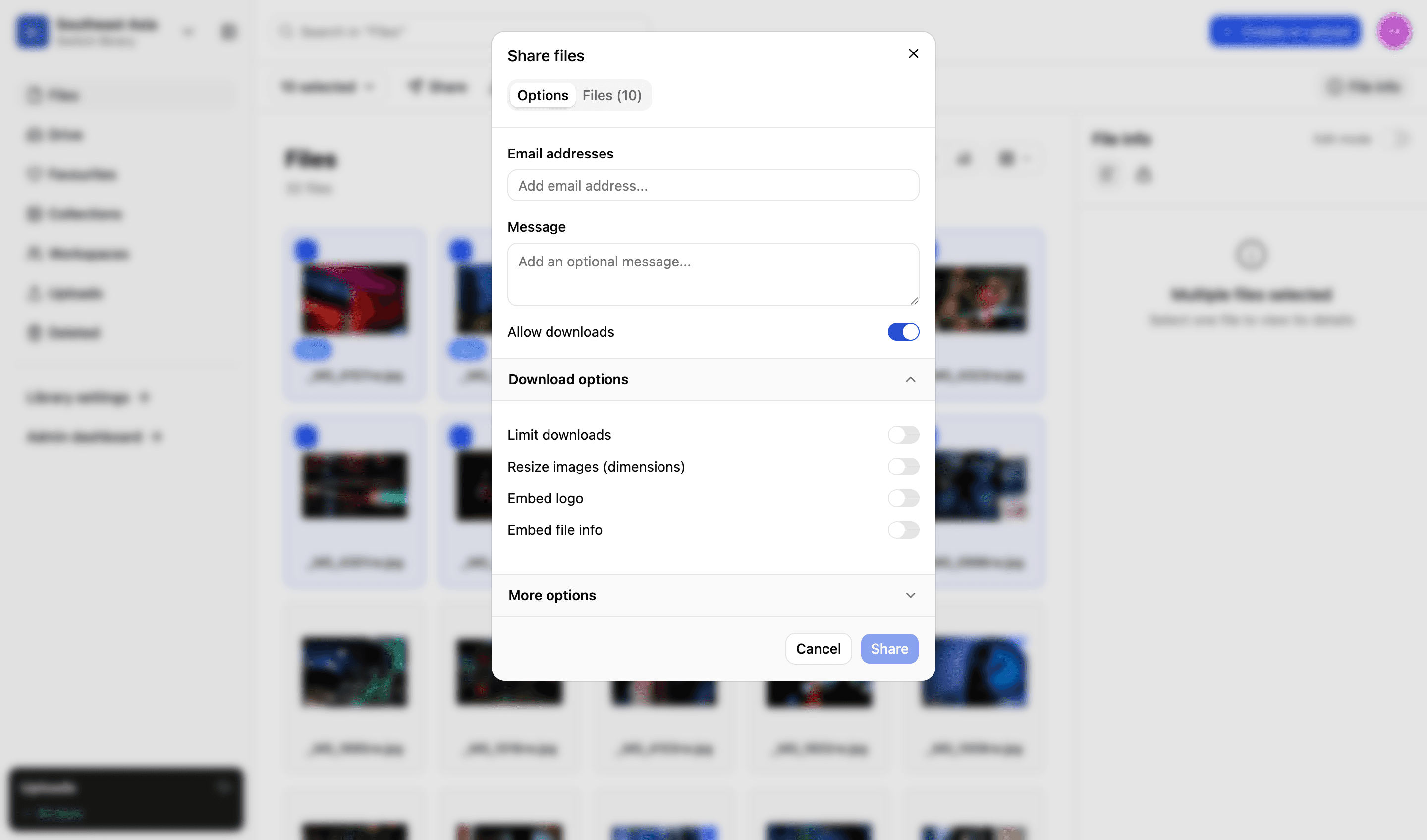
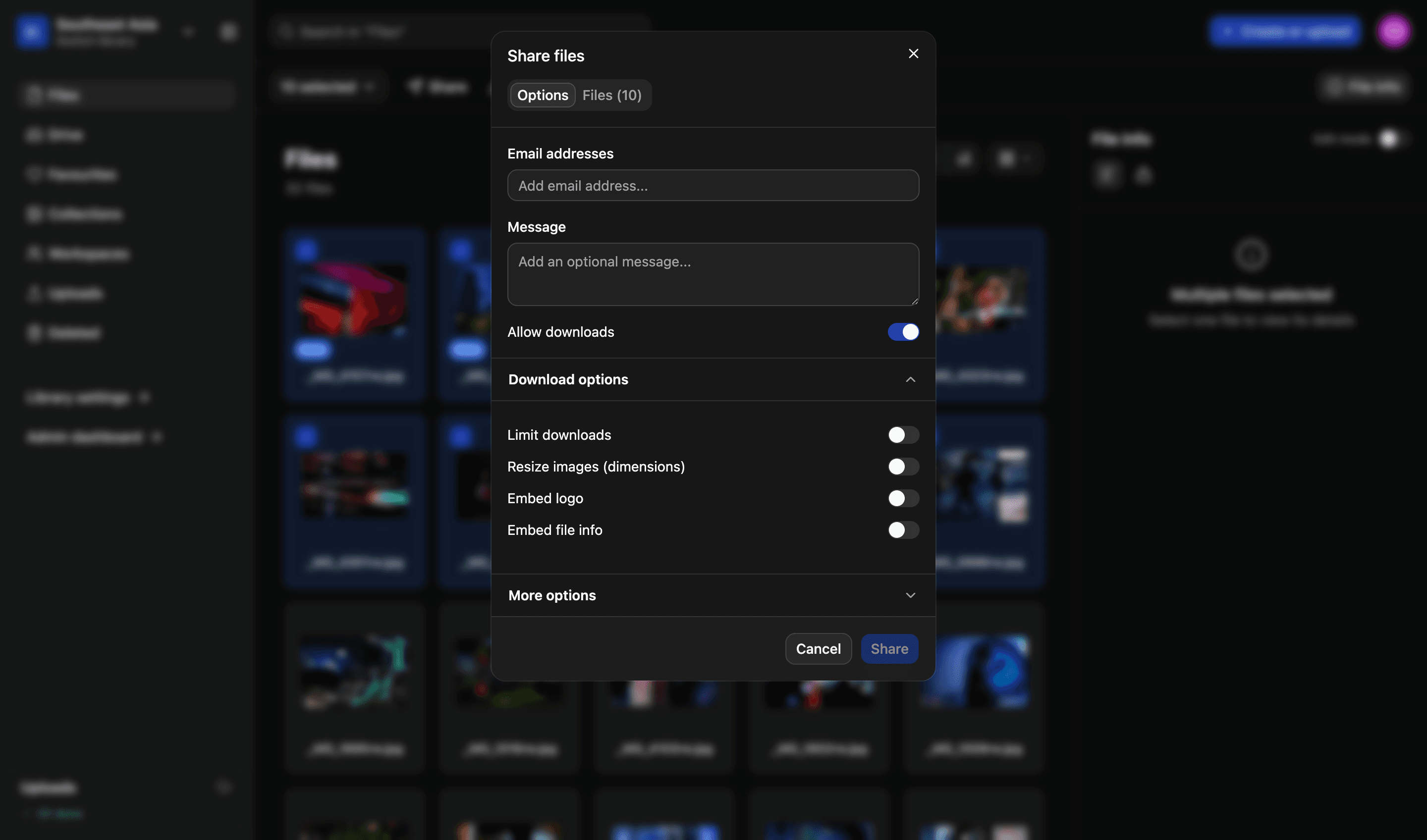
With LightRocket you decide what a recipient can do: view only, download just the once, or as many times as you allow and for as long as you permit. Make it personal by sending your link directly to any email with a private message, or copy the link wherever you need it.
Share link
Created 14 Jul · 6 of 25 downloads used
What this link allows
Allow downloads
- On
Limit downloads
- 25 · six used
Resize images
- 2048px long edge
Embed logo
- On
Embed file info
- Copyright and credit
Expires
- 14 August 2026
Illustrative example
What you set on a link
Six handy settings to choose from each time you send a link
01
View or download
A link that shows the file, or one that hands it over for download. Two different decisions, and you make them one at a time.
02
Not 'one size fits all'
Send a web-sized copy without making one first. The original stays where it is, untouched, and nobody has to run an export.
03
Set download limits
Cap how many times a link can be used, and watch the count. A link handed round a newsroom stops being an open door.
04
An expiry date
Links stop working on the date you choose, so nothing you shared three years ago is still quietly live.
05
Your logo on it
Embed your logo as a custom watermark. So nobody can claim they didn't know who the file came from or belongs to.
06
Embed important info
Embed important data (copyright, credit) in shared files; ensuring they are never orphaned and always carry relevant credits.
Collections
Send a set, not multiple links
Group files into a collection and share the set. Your recipients get a clear page of results, rather than a cumbersome folder of attachments - and every control above applies to the whole set.
- One link, for as many files as you want in it
- The same expiry, download limita and watermarking as a single file
- Add or remove a file and everyone recipient sees the change
More in the platform
Libraries and folders
Run as many libraries as you have teams, offices or regions. Each gets its own drive, its own folders and its own people.
Read more
Upload and file-drop
Uploads that resume when a browser dies, and file-drop links that let someone outside your organisation upload to a specific library, workspace or collection.
Read more
Search and filters
Search across one or all your libraries. Find files using standard and custom filters. Use facial recognition to find pictures of people.
Read more
Workspaces
A collaborative space for your projects. Invite individuals or groups. Assign specific permissions — view, edit or comment. You decide.
Read more
Permissions and access
Set access on a file or a collection, build custom roles to match your organisation’s exact needs and decide what each one can do.
Read more
Admin and reporting
Storage, users, activity, uploads and downloads on one easy-to-read dashboard, and a record of who did what with each file.
Read more
API and integrations
We migrate your existing library and connect the platform to what you already run. A REST API lets you build your own portal on top of it.
Read more
We’d love to explain more…
Still got questions?
Curious to see LightRocket in action? Want to know more about pricing? We’re always happy to show off our system and, yes, we’ll even help out with discounts and pricing.